
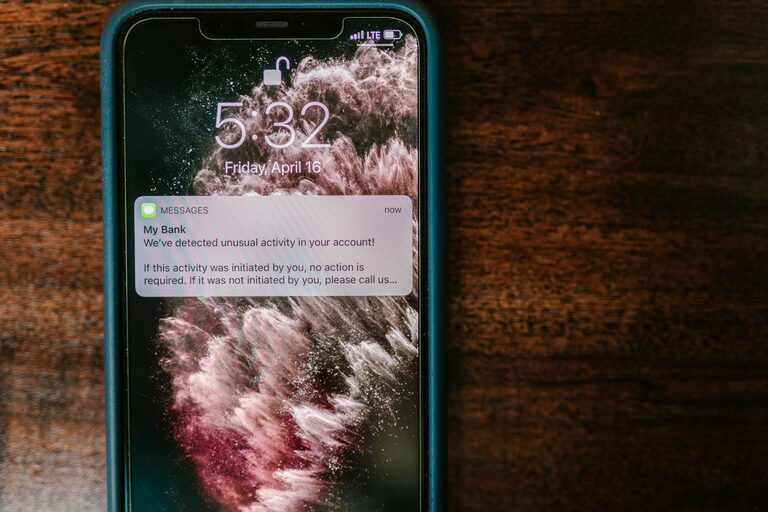
In our connected world, notifications pop up constantly—from emails and texts to social media and app alerts. While these notifications serve to keep us informed, they can also become a significant source of distraction. Managing notifications effectively is key to maintaining focus, improving productivity, and achieving a healthier balance between work and personal life.
In this post, we’ll explore practical tips for setting boundaries with notifications so you can take back control of your time and attention.
Why Set Boundaries with Notifications?
Notifications are designed to grab our attention. But when alerts arrive too frequently or at inopportune moments, they disrupt concentration and increase stress. Research shows frequent interruptions lead to decreased productivity and can make it difficult to complete tasks efficiently.
By consciously setting boundaries around notifications, you create space for focused work, meaningful conversations, and relaxation—moments that help recharge your energy.
Tips for Setting Boundaries with Notifications
1. Audit Your Notifications Regularly
Start by reviewing which apps and services are sending you notifications. Ask yourself:
– Which notifications are truly necessary?
– Which ones can be turned off or minimized?
Most devices allow you to customize notifications, including turning off badges, sounds, or pop-up alerts. Removing unnecessary alerts reduces noise and lessens the impulse to check your phone frequently.
2. Use “Do Not Disturb” or Focus Modes
Modern smartphones and computers have “Do Not Disturb” or focus modes that silence notifications during specific times or activities. Use this feature:
– During work hours or deep-focus sessions
– At night or during sleep
– When spending quality time with family or friends
Set schedules for these modes or activate them manually. This helps prevent interruptions when you want to concentrate or unwind.
3. Schedule Specific Times to Check Notifications
Instead of responding instantly to every alert, allocate certain times to review messages and updates. For example:
– Check emails in the morning, midday, and late afternoon
– Look at social media during breaks or after work
This batching approach keeps distractions at bay and makes notification review more intentional.
4. Customize Notification Settings per App
Many apps offer detailed notification settings. Explore each app’s preferences to:
– Disable non-urgent alerts
– Limit notifications to priority contacts
– Mute group chats or promotional messages
Fine-tuning notifications on a case-by-case basis ensures you only get the alerts you really need.
5. Turn Off Notifications for Less Important Apps
Some apps, like games or shopping platforms, can be especially distracting. Consider turning off notifications entirely for these apps or deleting them if they are seldom used. This reduces the number of incoming alerts and the temptation to open them.
6. Use Visual or Vibrate Alerts Instead of Sounds
Sounds can be startling and interrupt your workflow. If you must receive notifications, switch to silent, vibration, or subtle visual alerts. This way, you’re still alerted without a jarring interruption.
7. Communicate Your Notification Preferences
If you’re part of a team, let colleagues know your preferred communication times or methods. Setting expectations about your availability can reduce unnecessary pings during focus time.
8. Create Device-Free Zones or Times
Establishing device-free periods helps break the habit of constantly checking notifications. For example:
– No phone at the dinner table
– No devices an hour before bed
– Dedicated tech-free weekends
These boundaries promote healthier relationships with devices and better presence in the moment.
9. Leverage Apps and Tools to Manage Notifications
Some apps are designed to help manage or block notifications. Examples include distraction blockers or productivity tools that limit access to certain apps during work hours.
Experiment with these solutions to find what works best for your workflow.
Benefits of Setting Notification Boundaries
– Increased focus: Fewer interruptions mean deeper concentration.
– Better time management: Controlled notifications prevent time-wasting distractions.
– Reduced stress: Less digital noise helps calm the mind.
– Improved relationships: Being present without constant alerts enhances social interactions.
– Enhanced sleep quality: Limiting screen time and alerts before bed promotes rest.
Final Thoughts
Notifications aren’t going away anytime soon, but you can decide how much influence they have over your day. Setting clear boundaries around when and how you receive notifications is a simple yet powerful way to protect your focus and wellbeing.
Start small—turn off unnecessary alerts or try scheduling “Do Not Disturb” periods—and gradually tailor your settings until you find the perfect balance. With a little effort, you’ll notice more calm, productivity, and control in your daily routine.
—
By following these tips, you’ll create a more mindful relationship with your devices and notifications—a crucial step in today’s busy digital world. Give it a try and enjoy the benefits of a distraction-free environment!